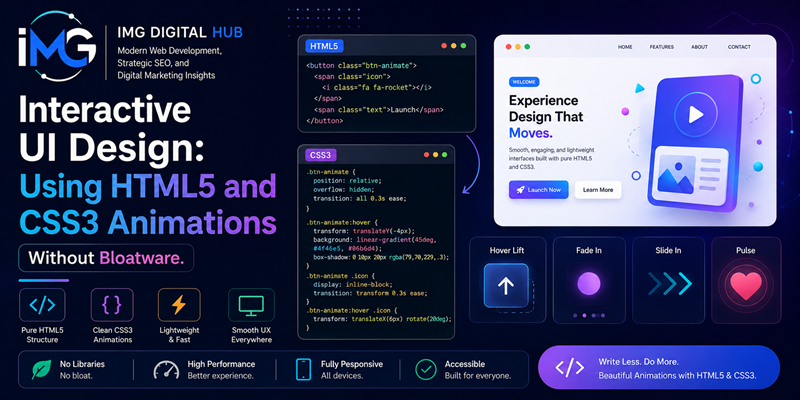
Interactive UI Design: Using HTML5 and CSS3 Animations Without Bloatware – Crafting digital interfaces requires a thoughtful balance between visual aesthetics and technical efficiency. However, many front-end projects accumulate unnecessary performance drag by relying heavily on third-party JavaScript animation suites. As a result, websites become sluggish, consuming excessive CPU cycles on mobile browsers. Fortunately, modern browsers execute native styling standards with exceptional speed. Specifically, engineering teams can pair HTML5 document structures with hardware-accelerated CSS3 properties to build responsive, fluid interfaces. Therefore, abandoning external animation frameworks allows creators to maximize speed without sacrificing visual engagement.
Reevaluating the Performance Drawbacks of Heavy Script Libraries
Integrating external JavaScript packages for basic UI transitions introduces noticeable performance penalties. While standalone animation frameworks offer convenient helper functions, they force client devices to download, parse, and execute substantial code bundles. Consequently, low-powered mobile devices suffer from execution delays, frustrating users during routine interactions.
Furthermore, third-party scripts execute their calculations directly on the browser’s main thread. Because the main thread must simultaneously process DOM rendering and user input, heavy animation tasks directly degrade key performance metrics such as Interaction to Next Paint (INP). In addition, external dependencies require ongoing maintenance, security updates, and version monitoring. Therefore, transitioning toward native CSS3 properties eliminates unnecessary bundle sizes while shielding applications from long-term technical debt.
Constructing Smooth Animations with Native CSS3 Rules
CSS3 includes robust, built-in features for animating DOM elements smoothly. Specifically, developers can select between lightweight transitions and multi-stage keyframe animations depending on user interaction requirements.
Fluid State Transitions
CSS transitions handle state modifications effortlessly when users interact with elements. For example, hovering over a call-to-action or focusing an input box can trigger immediate, natural visual feedback. Responsive Web Design in 2026: Modern CSS Media Queries and Container Queries
CSS
/* Lightweight CSS Transition */
.accent-button {
  background-color: #2563eb;
  transform: translateY(0);
  transition: transform 0.2s ease, background-color 0.2s ease;
}

.accent-button:hover {
  background-color: #1d4ed8;
  transform: translateY(-2px);
}
In this code snippet, the transition declaration executes fluid movement without triggering a single line of script code. As a result, browser memory consumption remains extremely low.
Multi-Stage Keyframe Sequences
When an interface component requires complex, sequential movements, CSS @keyframes definitions offer complete control over timing timelines. Specifically, keyframe rules allow developers to set intermediate progression milestones. Consequently, elements can pulse, slide, or rotate smoothly purely through stylesheet directives.
Script-Free Interactive UI Patterns in HTML5
Front-end developers frequently assume that interactive elements like expandable drawers or modal popups mandate JavaScript event listeners. However, native HTML5 specifications provide powerful structural tags that manage interaction states natively.
-
The Pseudo-Class
:checkedPattern: By pairing concealed form controls with<label>tags, developers can toggle visual layouts directly inside CSS. Consequently, mobile drawer menus and tabbed interfaces open smoothly without script intervention. -
The Native
<details>and<summary>Containers: In addition, HTML5 contains built-in disclosure blocks. Because browser engines manage the expanded state natively, developers can style accordion dropdowns using basic CSS transitions. -
The Native
<dialog>Element: Similarly, modern browsers support the HTML5 dialog element natively. As a result, developers gain built-in focus trapping and backdrop styling without installing third-party modal plugins.
Hardware Optimization and Inclusive Motion Design
Building high-performance web animations requires respecting how browser rendering engines process visual changes. Specifically, developers must prioritize hardware-accelerated properties to prevent main-thread execution lag.
Leveraging GPU Acceleration
Browsers calculate layout adjustments across separate execution stages, including layout, paint, and composite steps. If an animation modifies structural dimensions like width or margin, the browser recalculates geometry across the entire page. As a result, animation frame rates drop sharply. Conversely, animating GPU-friendly properties like transform and opacity bypasses layout re-calculations completely. Instead, the browser delegates rendering tasks directly to the Graphics Processing Unit (GPU). Therefore, motion remains smooth at 60 frames per second.
Accommodating Accessible Motion Preferences
In addition to raw execution speed, web accessibility must remain a core engineering priority. For instance, intense screen movements can trigger dizziness or discomfort for users with vestibular sensitivities. To address this issue, stylesheets should incorporate the prefers-reduced-motion feature query:
CSS
@media (prefers-reduced-motion: reduce) {
  *, ::before, ::after {
    animation-duration: 0.01ms !important;
    transition-duration: 0.01ms !important;
  }
}
Consequently, users who request reduced motion receive clean, static interfaces, ensuring equal usability for everyone.
Summary
In conclusion, crafting interactive user interfaces does not require bloated third-party animation libraries. By leveraging semantic HTML5 structures and hardware-accelerated CSS3 animations, web developers create sleek, responsive digital experiences. Furthermore, relying on native browser capabilities lowers bandwidth overhead, accelerates rendering speeds, and meets Google search quality guidelines. Ultimately, mastering native styling tools empowers teams to deliver fast, inclusive, and elegant web platforms.